A device for your dashboard

The car that reads the road.

RoadEye watches the road through a camera on your windshield, reads every sign you pass, and keeps the speed limit in front of you. On the device, in the car, with no cloud and no subscription.
Get updates How it works

  • Signs read on the camera, 15 times a second
  • Speed limit from the sign and the map
  • Offline turn-by-turn directions
  • Dash camera and a page for your phone
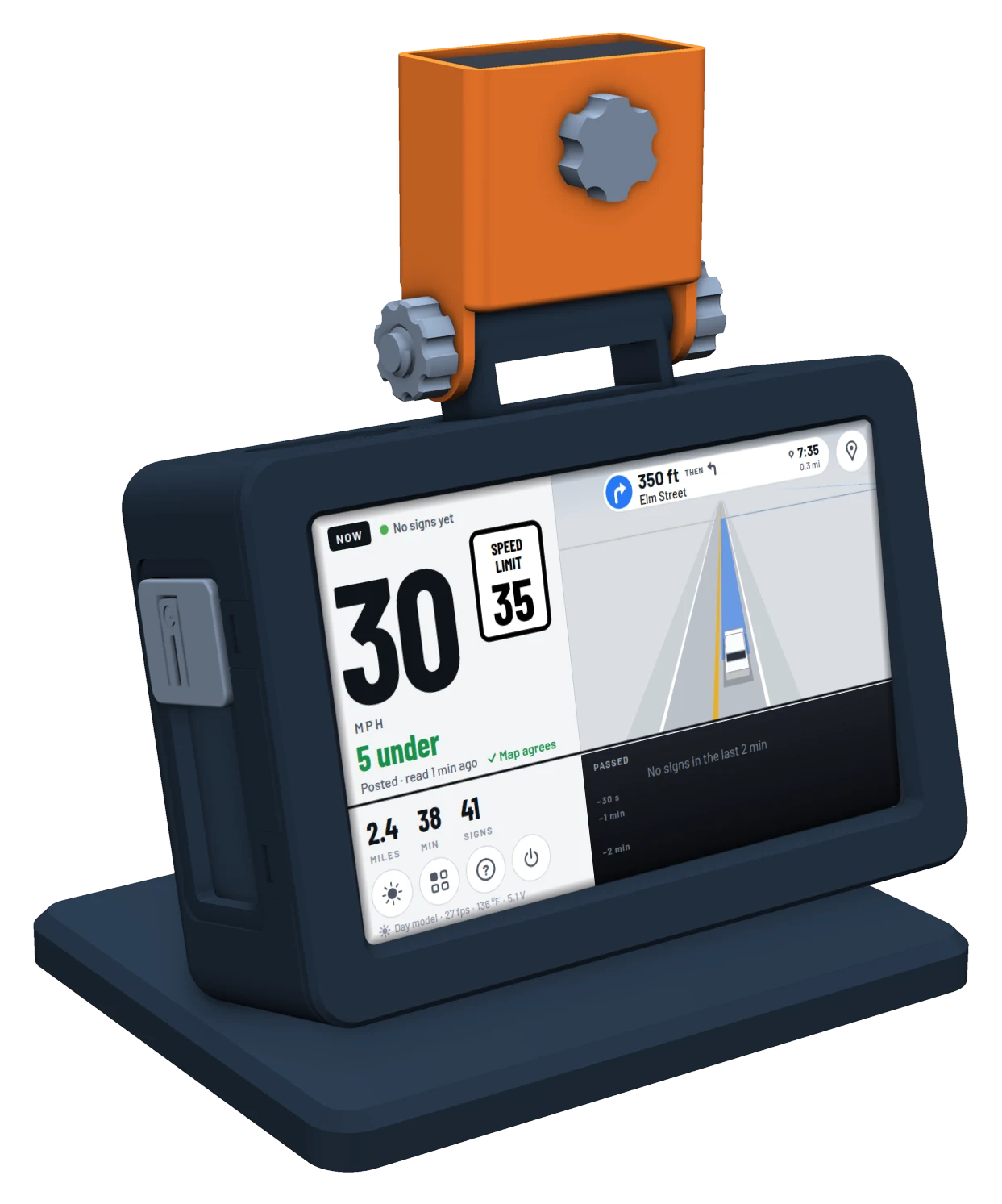
The RoadEye device on its dashboard stand: a dark screen module with the orange camera hinged above it. The screen shows the live look while navigating: 30 mph beside a 35 speed limit sign, 5 under, the map agreeing, a turn card saying 350 ft then left onto Elm Street, and the route as a blue band on the road ahead
On the dashboard, navigating in the now and next live look

What it does

Reads the signs you pass

Stop, speed limit, school zone, curves, merges and more, spotted and confirmed before they are shown.

Knows the limit, from the sign and the map

The posted limit from the last sign, the map's limit for the road you are on, and whether they agree.

A dashboard, not a debug window

Your speed on a dial, the limit beside it, the signs of the last two minutes, a mini-map of the next turn.

Turn-by-turn directions, offline

Pick a place on your phone. The route is worked out on the device, with no internet in the car.

A dash camera, when you want one

Loop recording at 720p, 1080p or 1520p, stamped with time and speed. Off until you turn it on.

A heads-up for marked police vehicles

“Police ahead · 35 m, right” once per vehicle, for the ones near enough to show their markings.

All the features

The screen, in its looks

Several looks to choose from, by day and by night. Every one shows your speed, the limit and what is coming; they differ in how much they say and how they draw the road.
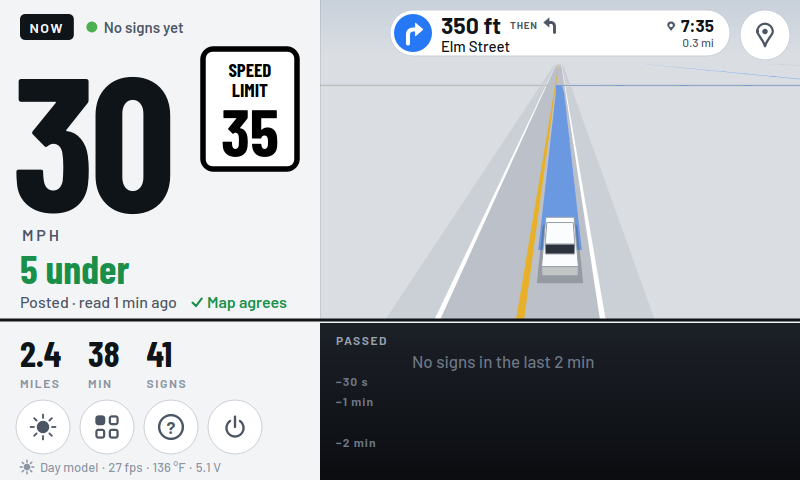
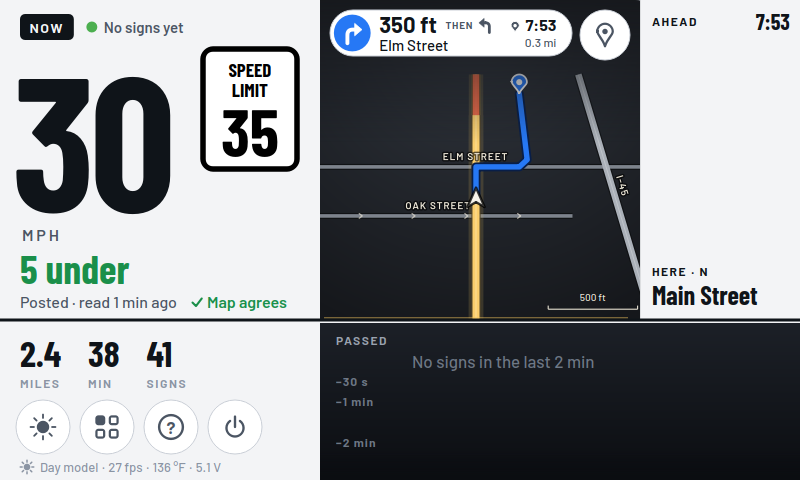
The now and next live look while navigating: 30 mph beside a 35 speed limit sign, 5 under, the map agreeing, a turn card at the top saying 350 ft then left onto Elm Street, arriving at 7:35, and the route as a blue band on the road ahead, drawn in 3D with your car in its lane
Now and next live: the road round you in 3D, the route as a blue band
The now and next look while navigating: 30 mph and the 35 speed limit sign on the left, a map of the streets round you with the route in blue in the middle, the turn card above it, and the ahead column with the time, your heading and the road's name, Main Street
Now and next: the same, with the map of the streets round you
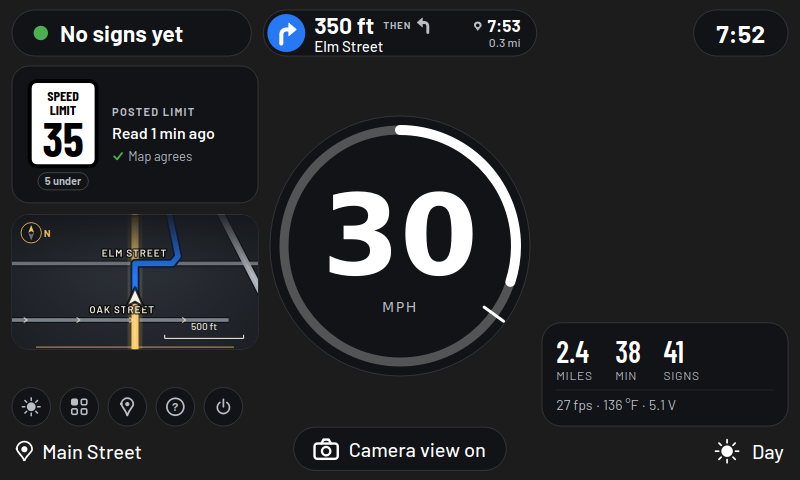
The classic look while navigating: a round dial showing 30 mph, the posted limit card with a 35 sign read a minute ago and the map agreeing, a mini-map with the route, the turn card at the top and the trip's miles, minutes and signs
Classic: a dial, the limit card, the mini-map and the turn card
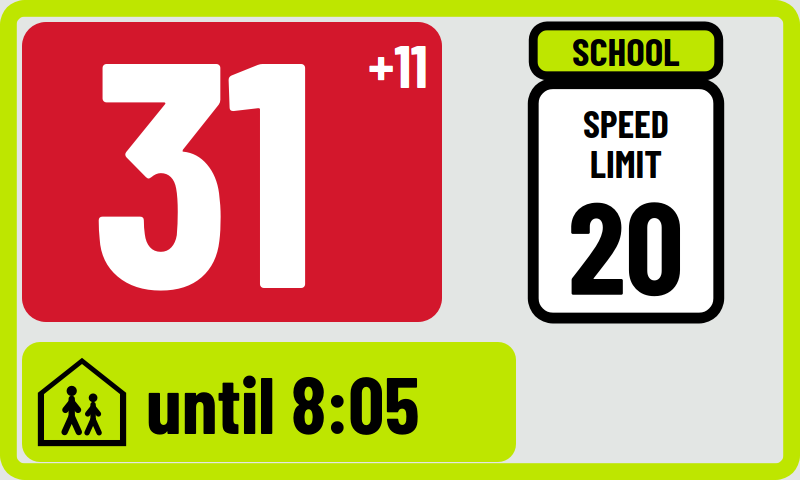
The glance look in a school zone: 31 and +11 in large white figures on red, a school speed limit 20 sign, and a yellow-green strip saying until 8:05
Glance: just the figures, big enough to read at a glance

How it works

  1. The camera does the seeing

    RoadEye's AI camera runs the sign-detection model on its own sensor. The device receives boxes, not pixels to search, which leaves it free for the screen, the map and the recording.

  2. The device does the thinking

    Every detection is confirmed over several frames, merged into one box per sign, cropped and read for its number. Speed limits are checked against the map, and the dial, the sign list and the mini-map are drawn 15 times a second on a 5-inch touchscreen.

  3. Your phone does the typing

    Searching for a destination, naming a saved place, scrolling the clips: things a touchscreen on a dashboard is bad at are done on the phone page, over the car's hotspot or your home Wi-Fi.

Hear when you can get one

RoadEye is a working device today and a product soon: a complete unit, ready to mount. Leave your email and you'll hear first when it ships.

Only to tell you about RoadEye. No list is sold or shared. Privacy.